Pivot Point Calculator
Enter open, high, low and close of the last completed candle and get pivot points for stocks, crypto, forex and commodities, their support and resistance levels of all Classic, Fibonacci, Camarilla, Woodie's and DeMark's pivot points.
Why traders need a pivot point calculator
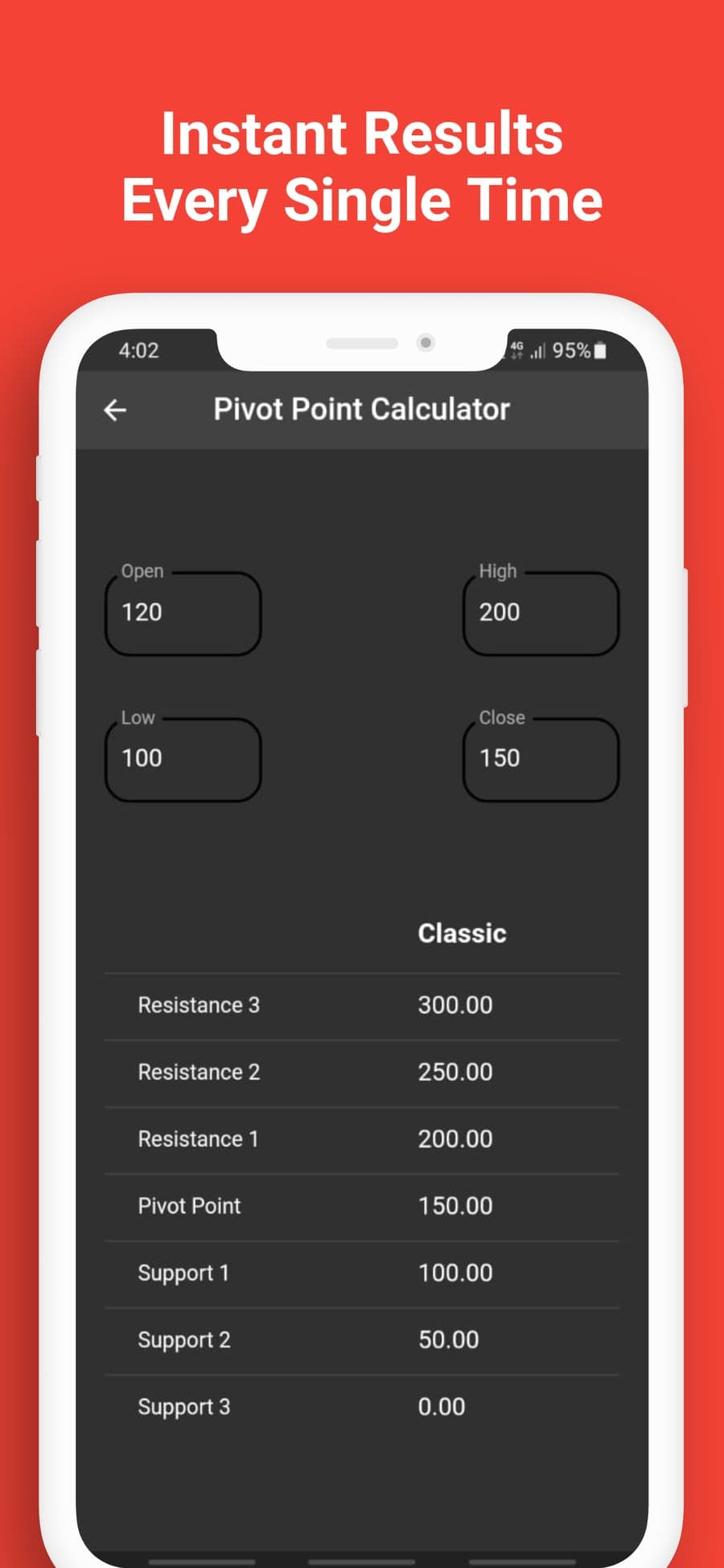
Working out pivot levels by hand takes time and one wrong digit moves every line on the chart. Pivot Point Calculator does the arithmetic for you so you can spend that time planning the trade.
Trader feedback on Pivot Point Calculator
I trade Nifty intraday, so every evening I enter the day's high, low and close into the Classic calculator and draw P, R1 and S1 on my chart. The whole routine takes me less than a minute.
I used to switch between Fibonacci and Camarilla on paper. Now I turn my phone sideways and read all five methods in the Combined table. When two methods give almost the same price, I watch that level closely.
My old Excel sheet had a broken formula that I didn't notice for a month. The app gives me R3, R4, S3 and S4 as soon as I type the prices. I still fade moves into R3 the way I always have.
I wondered why a pivot app asked for the open price until I tried DeMark's. Its levels change depending on whether the close finished above or below the open.
Crypto trades all day, so I chose one daily close time and use that candle every morning. I type it into the same four fields I use for my stock levels.
I installed the app at a bus stop and had my levels before the bus arrived. It never asked me for an email address, which I appreciated.
I trade gold around my day job. I type the four prices in the lift and read the levels by the time I reach my desk.
The dark background and simple layout are easy on my eyes at six in the morning before I've had any coffee.
Pivot Point Calculator features
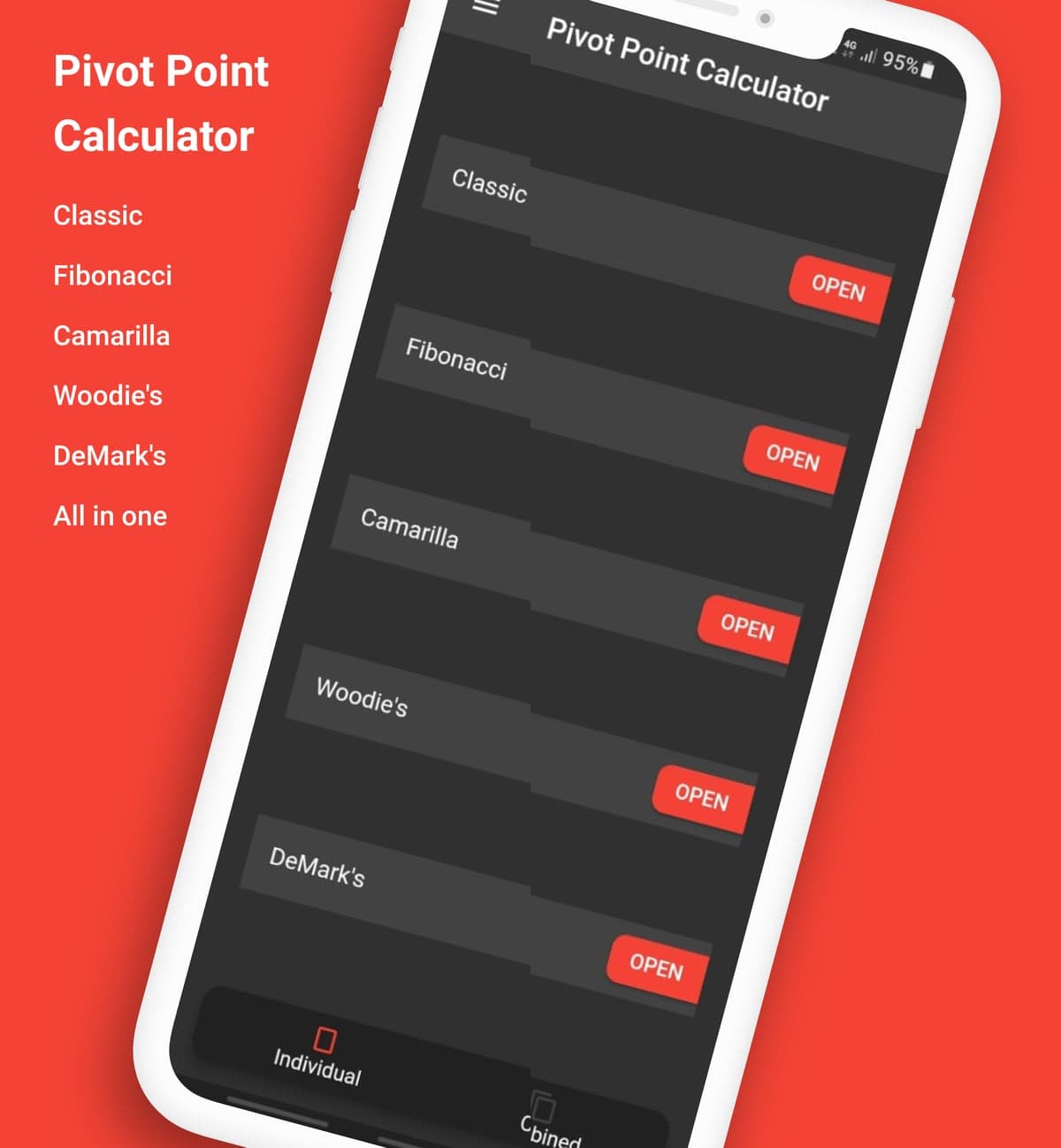
Each pivot method has its own calculator screen. The Combined view puts all five methods in one table so you can compare their levels.
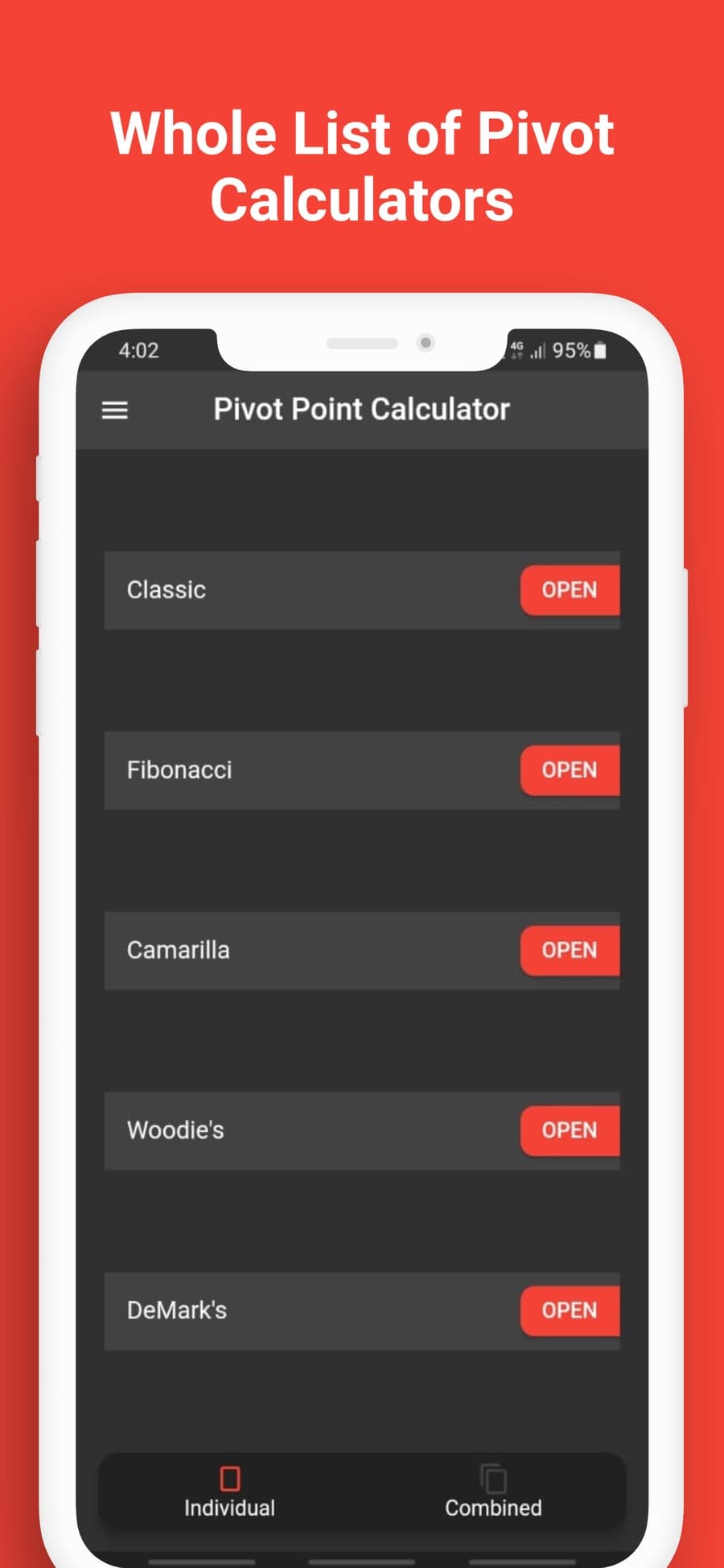
All five pivot calculators at your service
Classic, Fibonacci, Camarilla, Woodie's and DeMark's each have their own row with a red Open button. You can move between methods in two taps.
- The Individual tab opens one calculator at a time
- The Combined tab shows every method in a single table
- The dark layout stays easy to read
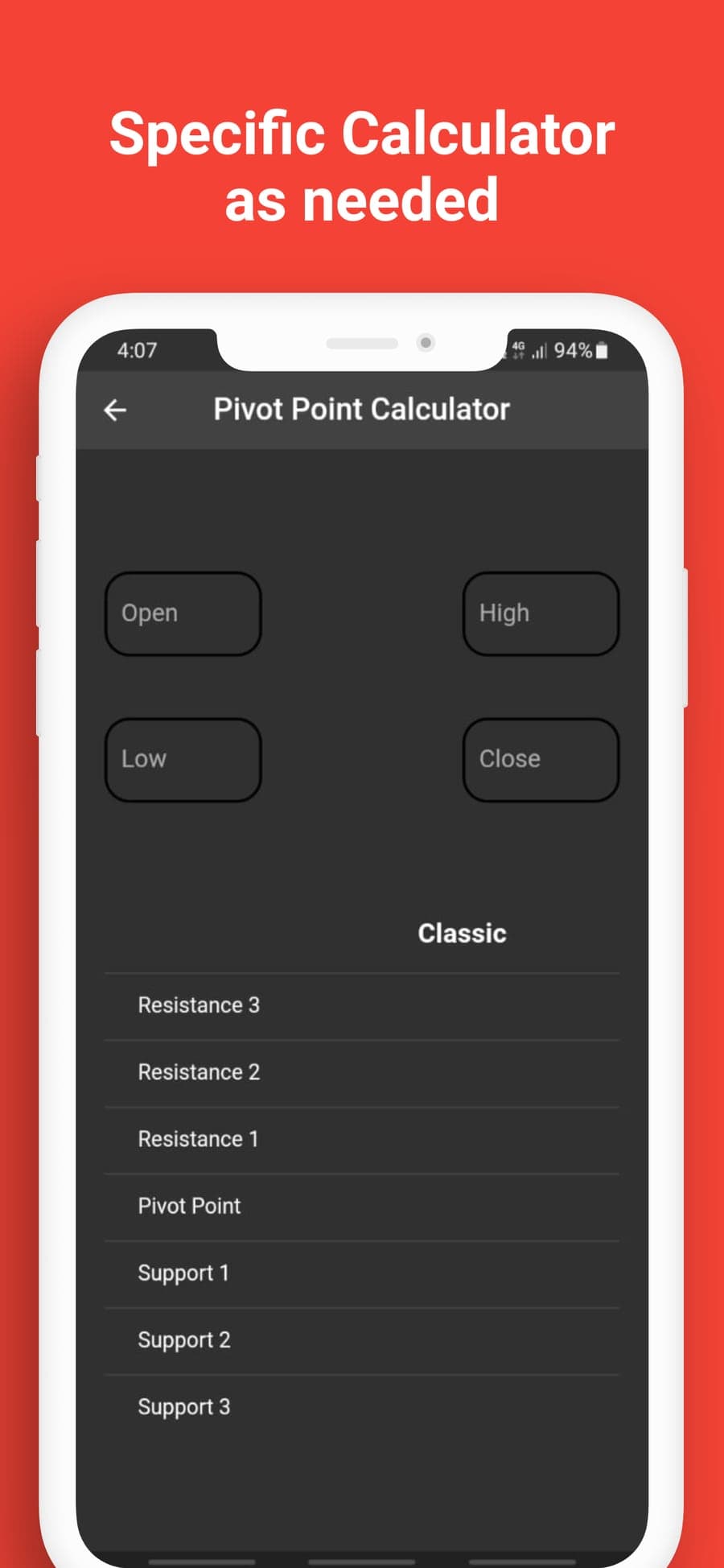
Enter four prices to get your levels
Every calculator uses the same inputs: open, high, low and close. Type the prices from the candle you want to use. For Classic pivots the table lists Resistance 3 at the top, the pivot point in the middle and Support 3 at the bottom.
- R stands for resistance, S for support and P for the pivot point
- The app shows each level to two decimal places
- A daily candle gives intraday levels and a weekly candle gives swing levels
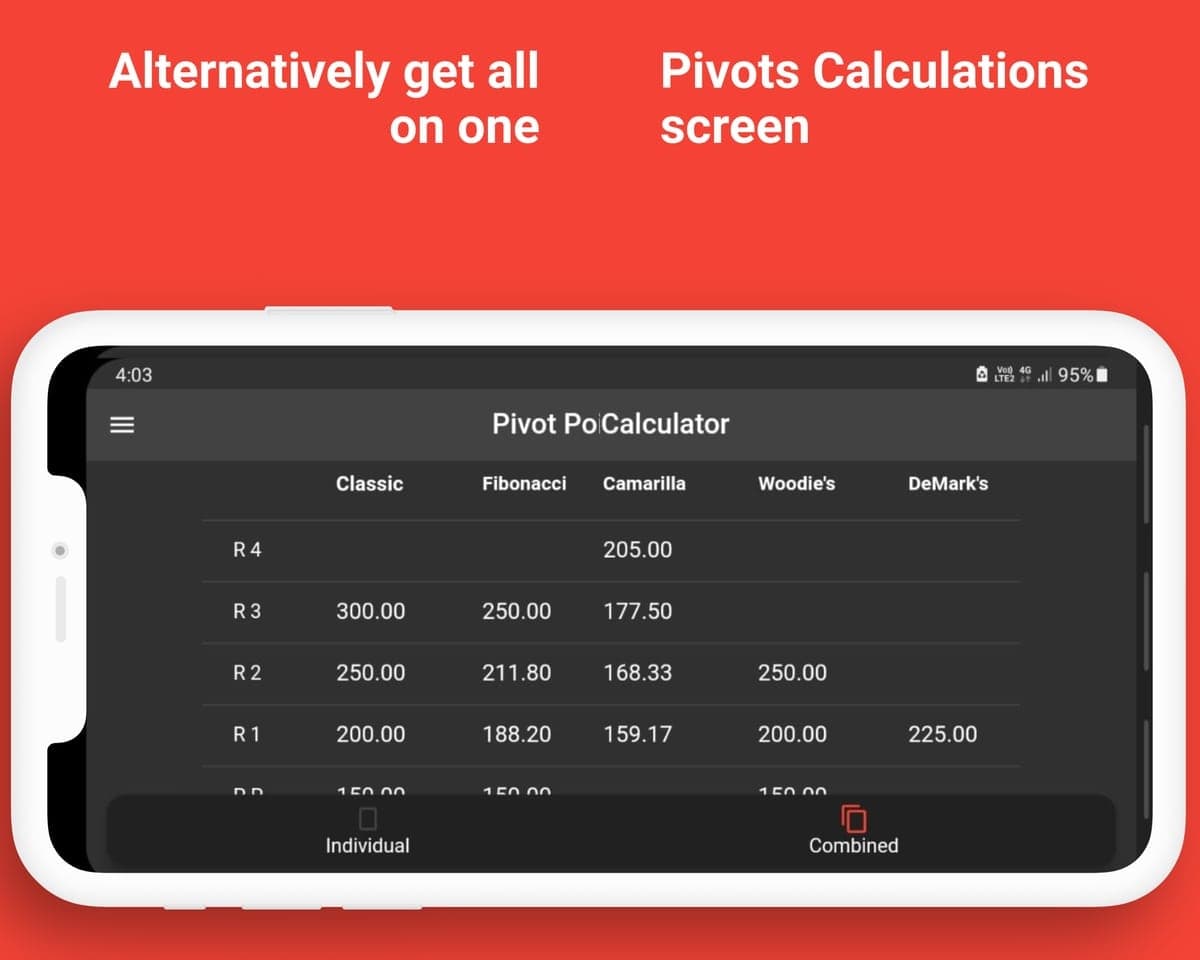
Compare all five methods in one table
The Combined view places Classic, Fibonacci, Camarilla, Woodie's and DeMark's side by side. Every column fits on screen when you turn the phone sideways. When levels from several methods land close together, traders call it confluence and often pay extra attention to that price zone.
- Rows run from R4 at the top down through the pivot to the support levels
- Each column only fills the rows its method produces, so DeMark's shows a single R1
- In the sample screenshot, Classic R1, Woodie's R1 and Camarilla R4 all fall between 200 and 205
The five pivot point methods in the app
All five methods start from the previous period's prices. Choose the pivot point type which works for your trading style and get started in a tap.
Classic
Traders also call these floor pivots because pit traders used them. The method combines the prior high, low and close into one pivot, then adds three resistance levels above it and three support levels below it. Many charting platforms label it standard or traditional, so a large number of traders watch these same levels.
Fibonacci
Fibonacci pivots start from the same pivot as Classic but space the levels with Fibonacci ratios of the prior range, such as 38.2% and 61.8%. Traders who already draw Fibonacci retracements often like how the two tools line up.
Camarilla
Camarilla places eight levels in a tight band around the previous close. In the Combined table its pivot row stays empty because the method works from the close. Intraday traders use it often for short trades.
Woodie's
Woodie's gives the closing price more weight than Classic does. It also produces fewer levels, which some traders prefer because their chart stays easier to read.
DeMark's
DeMark's checks whether the period closed above, below or level with its open before it sets any levels. It gives you one resistance level and one support level. It is also the only method in the app that uses the Open field.
Popular markets for pivot trading
Pivot points only need a high, low and close, so the calculator works with any market that has price candles. Traders use it for indices like the Nasdaq, currency pairs like EUR/USD and commodities like gold, as well as Bitcoin.
Using the app before the market opens
Most pivot traders follow these three steps as part of their pre-market routine.
Note the last candle's prices
Open your chart and write down the open, high, low and close of the last completed period. Day traders usually use yesterday's daily candle, while swing traders use last week's candle.
Because crypto markets trade around the clock, pick one daily close time such as 00:00 UTC and use it every day.
Enter them into a calculator
Tap Open next to Classic, Fibonacci, Camarilla, Woodie's or DeMark's and type the four prices into their fields. The levels then appear in the table below the fields.
If you want to compare methods, the Combined tab shows all five at once.
Mark the levels on your chart
Draw the pivot, support and resistance levels on your chart as horizontal lines. Then watch how price reacts when it reaches each line.
The levels help you plan the session, but you still decide where to enter and where to place your stop loss.
Practical details for daily trading
These details make the app practical for daily pre-market planning.
| All five methods are in one app | You don't need a separate app or website for Camarilla or DeMark's levels because every calculator sits on the same home screen. |
|---|---|
| You can compare methods side by side | The Combined view puts each method's levels in one table, so you can spot overlapping prices without switching screens. |
| Labels match your charting platform | The app uses the same R, S and P labels that charting platforms use for pivot levels. |
| Every calculator uses the same inputs | Each calculator asks for the open, high, low and close, so you only need to learn one routine. |
| You don't need an account | The app never asks for an email address or a password. You can install it and start calculating right away. |
| The app does not give trade signals | It calculates levels from your prices and never places trades for you, so every trading decision stays with you. |
| It runs on Android and iPhone | You can download it from Google Play or the App Store. |
Frequently asked questions about pivot points
Not financial advice
Pivot Point Calculator turns the open, high, low and close you enter into support and resistance levels by applying a standard formula. These levels are not financial, investment, tax or trading advice and they are not a recommendation to buy, sell or hold anything.
Trading stocks, forex, commodities or crypto carries real risk, including the risk of losing all the money you invest. A single typing mistake changes every level on the screen, so check the numbers against a trusted source before you act on them. You are responsible for every trade you place. The Terms of Use and the Privacy Policy explain this in full.
Download Pivot Point Calculator
Get the app on Google Play or the App Store and calculate your support and resistance levels before the market opens.